The Enrollment Confirmation System is a web-based tool where admitted students can confirm their intent to enroll at the UW by paying their Enrollment Confirmation Deposit (ECD) using a credit card or web check.
Enrollment Confirmation Login
Accept an Enrollment Offer
Step 1: Begin Confirmation
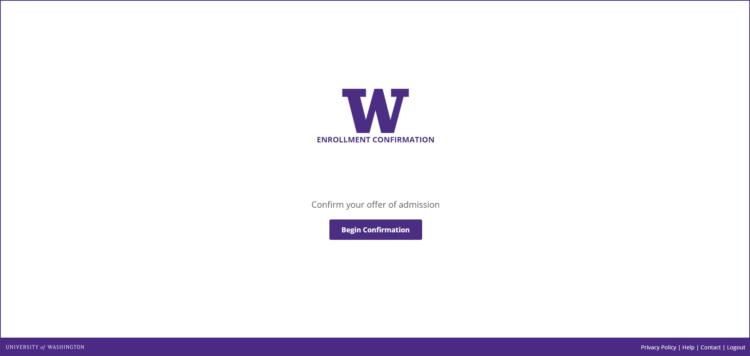
Graduate students: Log into your Graduate School application.
Professional students use the enrollment confirmation system link provided in your admission packet. You will go to your application’s “status” to confirm your acceptance and you will find the link to the new Enrollment Confirmation System.
Step 2: Choose to Accept the Offer
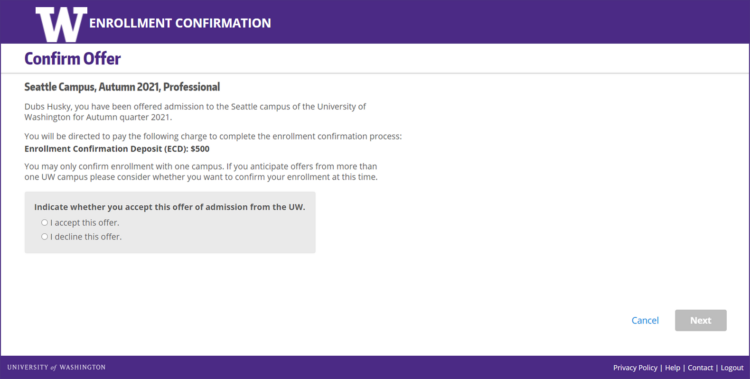
The Next button is enabled once a selection has been made.
Step 3: Review Confirmation
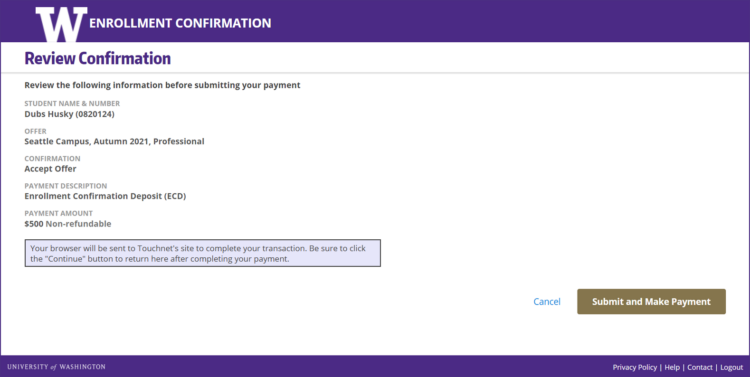
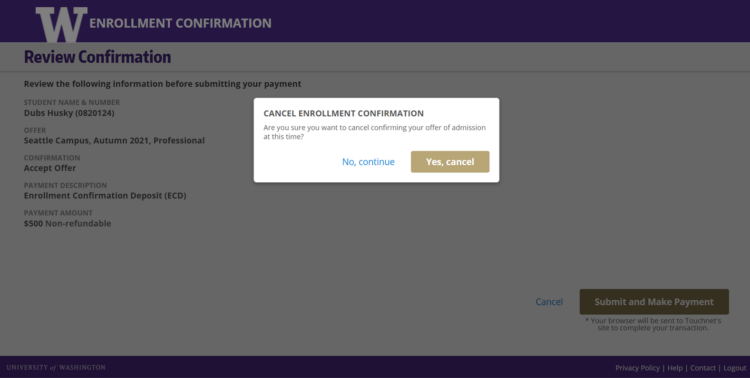
Clicking the Cancel button will open a dialog box. Choosing to cancel will return you to Step 1.
Step 4: Choose a Payment Method
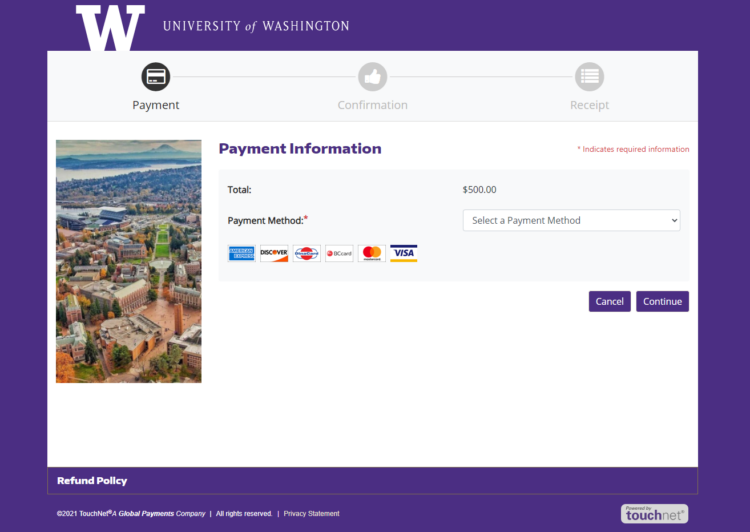
Select a payment method, either credit card or electronic check, from the dropdown menu.
Step 5: Enter Payment Information
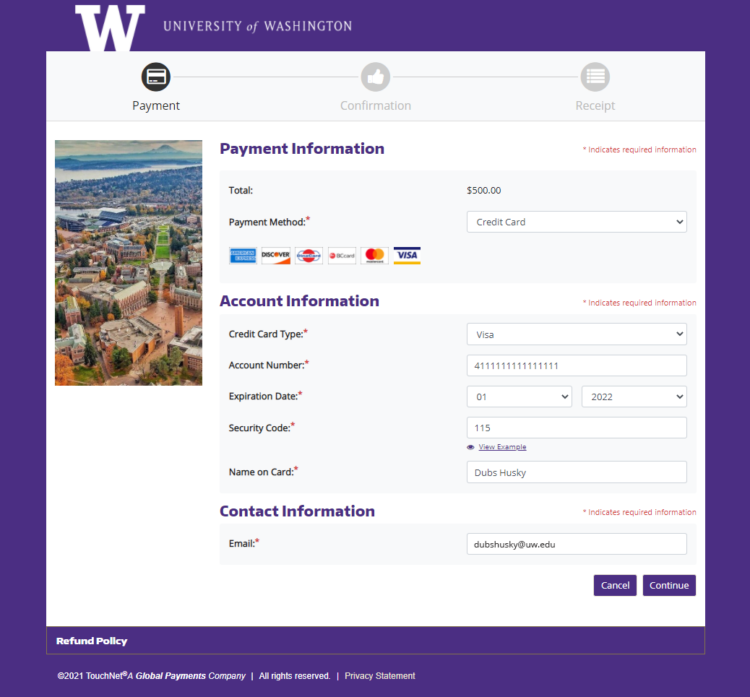
Step 6: Confirm Payment
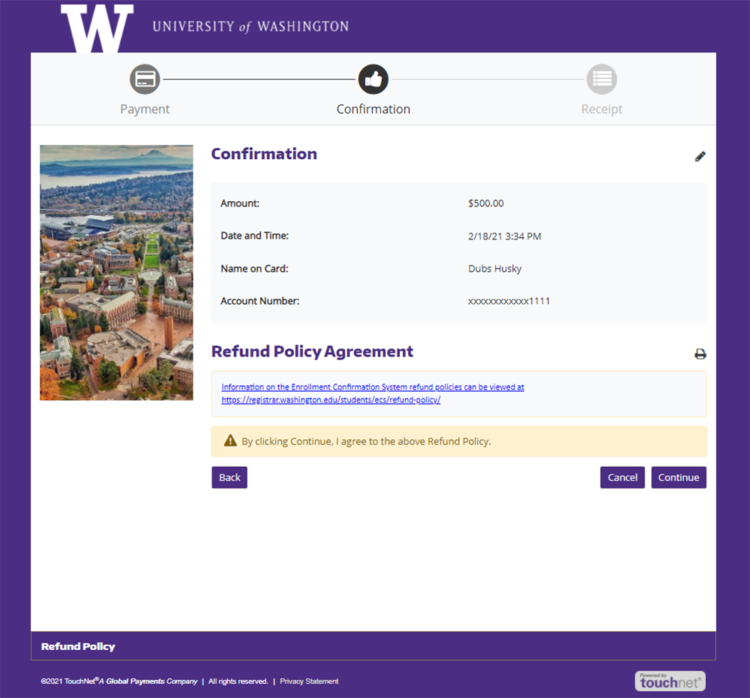
By clicking the Continue button, you agree to the Enrollment Confirmation Refund policy. If you pay via electronic check, you must click the checkbox that you agree with the ACH agreement on the confirmation screen.
Make sure to click Continue to submit the payment.
Step 7: Confirmation
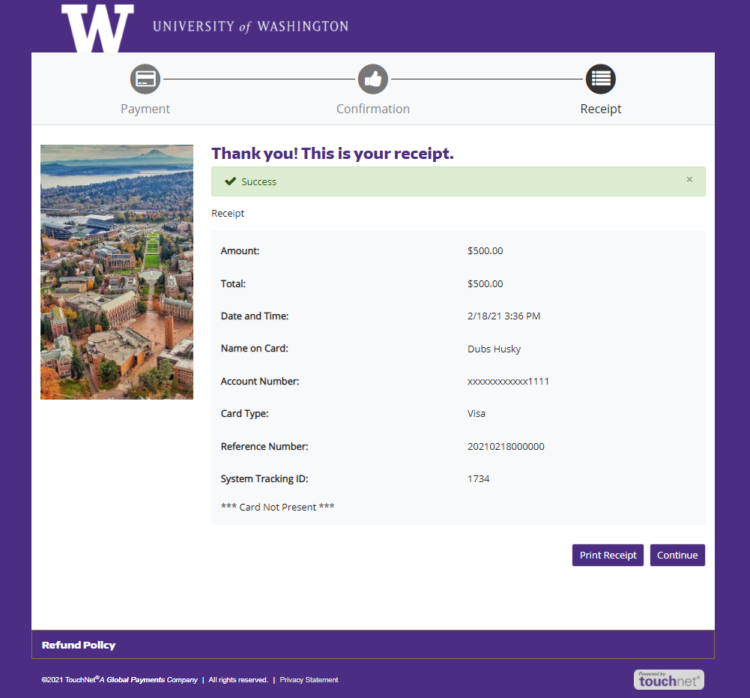
You will receive an emailed receipt of your confirmation and payment shortly after you confirm your enrollment and pay your ECD fee.
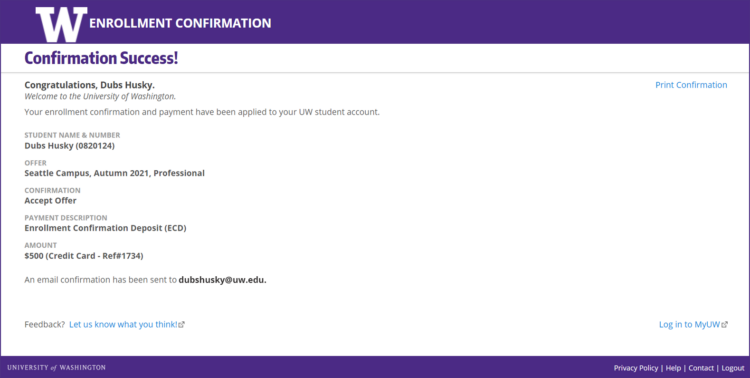
You can access MyUW by selecting the Log into MyUW link in the bottom right corner.
Decline an Enrollment Offer
Step 1: Begin Confirmation
Step 2: Choose to Decline the Offer
The Next button is enabled once a selection has been made.
Step 3: Confirm Decline
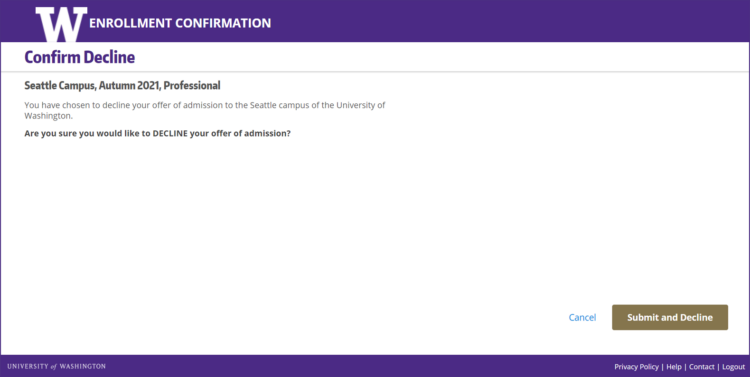
Clicking the Cancel button will open a dialog box. Choosing to cancel will return you to Step 1. You will not be able to return to the Offer Confirmation page once you have selected the Submit and Decline button.
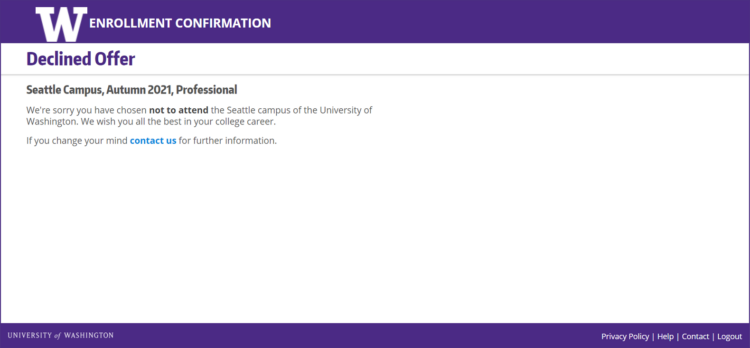
Step 4: Confirmation
The Contact link is present on the footer of each page. Contact the Office of the University Registrar for additional assistance.
Enrollment Confirmation Deposit Refund Policy
Enrollment Confirmation Deposits (ECD), once paid for undergraduate, graduate, and professional school students to confirm their first quarter of enrollment, are non-refundable.
The ECD is applied toward tuition and fees assessed for the quarter in which the student has been offered admission. If you need further information and contact details, please log in and review your Official Tuition Charge Statement.
Refunds by Campus
The refund or waiver processes differ by campus and by student level.
Graduate Students
Applies to graduate students at all three campuses. The ECD is non-refundable. If you want to enroll in your program for a different quarter than the one you were offered admission to, please contact your academic department.
Academic Departments
Programs can petition the Graduate School to confirm enrollment on behalf of a student without paying the ECD (enrollment confirmation deposit). This petition cannot be requested for applicants planning to attend on an F1 or J1 visa. Please refer to the Graduate School Policy 3.1: Graduate Admissions 3.1.4 Enrollment Confirmation on Behalf of a Student.
University of Washington Undergraduates
- All admitted undergraduate and post-baccalaureate (non-masters) matriculated students will be required to submit a non-refundable deposit to confirm their admission by May 1.
- If admitted after May 1, applicants have 20-calendar days following the date of their acceptance for autumn quarter, unless otherwise specified in the admissions letter.
- For winter and spring quarters, the deposit is due 20-calendar days following the date of their acceptance, unless otherwise specified in the admissions letter.
- If the student enrolls, the deposit is credited towards tuition.
- This deposit is not applicable to another quarter (exceptions by appeal to the Director of Admissions).
- This deposit is not applicable to another student (no appeals).
UW Bothell students only: Qualified students may request a deferral by contacting the UW Bothell Admissions Office.
Academic Calendar – Student Guide
Go to the UW Academic Calendar
Academic Calendar – This Week