Step 1. Select the Home key.
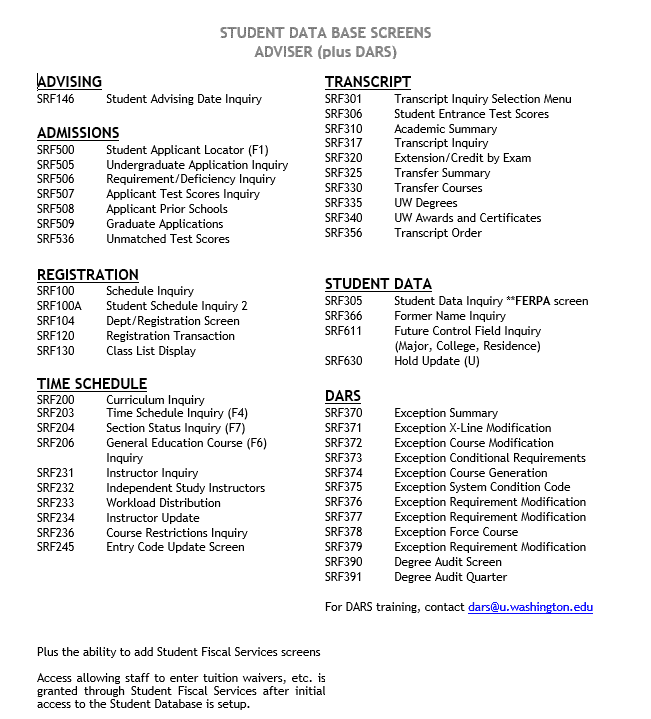
You may find it useful to reference the list of screens tow which you have access. Please review Common SDB Access Levels if necessary. In this example, we have included the list of screens that Advisers typically may access.
Step 2. Enter the screen command.
For instance, you may want to navigate to the student locator screen (SRF500). Enter SRF500 in the upper-left corner of the screen.
SRF stands for Student Record Find.
SRT stands for Student Record Transfer.
Step 3. Transfer between screens.
To access a different screen for the same student, use SRT instead of SRF. SRT stands for Student Record Transfer. This will save you the hassle of re-entering the student’s ID number again.